![Prosci-logo-notagline-RGB-white.png]](https://www.prosci.com/hs-fs/hubfs/Prosci-logo-notagline-RGB-white.png?height=40&name=Prosci-logo-notagline-RGB-white.png)
Available for: Any user with access to Knowledge Hub, Research Hub or Instructor Hub.
Languages: English. For users who a have a different language set, they will experience the old search experience.
We are excited to introduce an exciting enhancement to the Prosci Hub Solution with the New Global Search Experience. This update offers numerous benefits, including:
- Single Search Box: Experience the convenience of a single search box that serves as a one-stop shop for searching our Knowledge Hub, Research Hub, Blog posts, Thought Leadership Articles, and Webinars.
- Lightning-fast results: Our real-time search feature displays results as you type, making it easier to find the answers you need.
- Reason for match display: The search results will provide clear explanations, allowing you to understand why certain results are being shown.
- AI Search that Understands User Intent: Our search feature goes beyond simple keyword matches and learns what you are looking for. This enables us to consistently highlight the most relevant results, and it continues to improve over time.
New Global Search FAQ
What can I search?
- The new search experience is specifically designed for the Hub Solution Suite, which includes content from Knowledge Hub, Research Hub, and Instructor Hub.
- The search also includes content from prosci.com including Blogs, Webinar transcripts, and Thought Leadership articles.
- At this time, search does not include results from any other Prosci Portal resource such as Practitioner eToolkit, Premium Webinars, etc.
How are search results ranked?
- We use a relevance ranking algorithm to display the most applicable results for your query.
- We use AI to continuously update this algorithm, so it is possible that a query you run one day may return different results the next day.
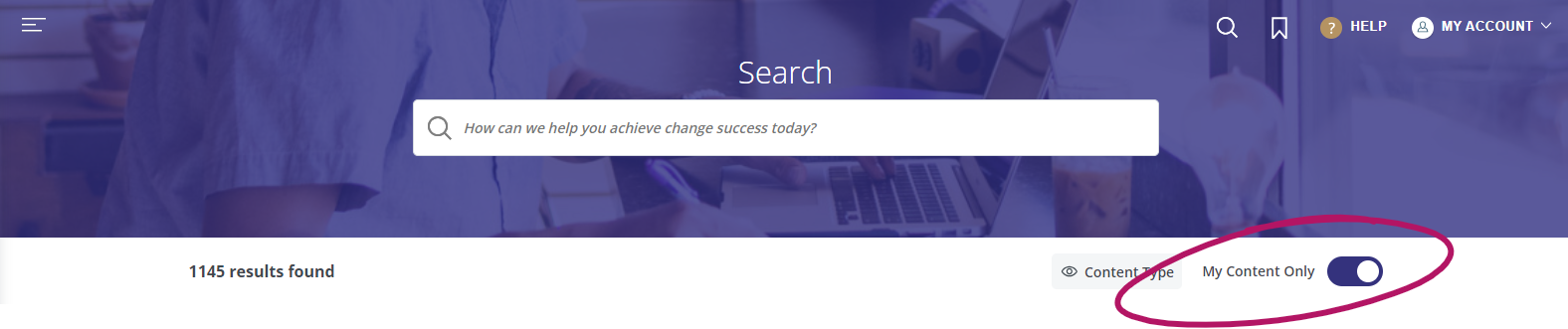
What's the [My Content Only] toggle?
-
By default, the [My Content Only] toggle is turned on. Meaning users will only see search results that include the content they have access to.
-
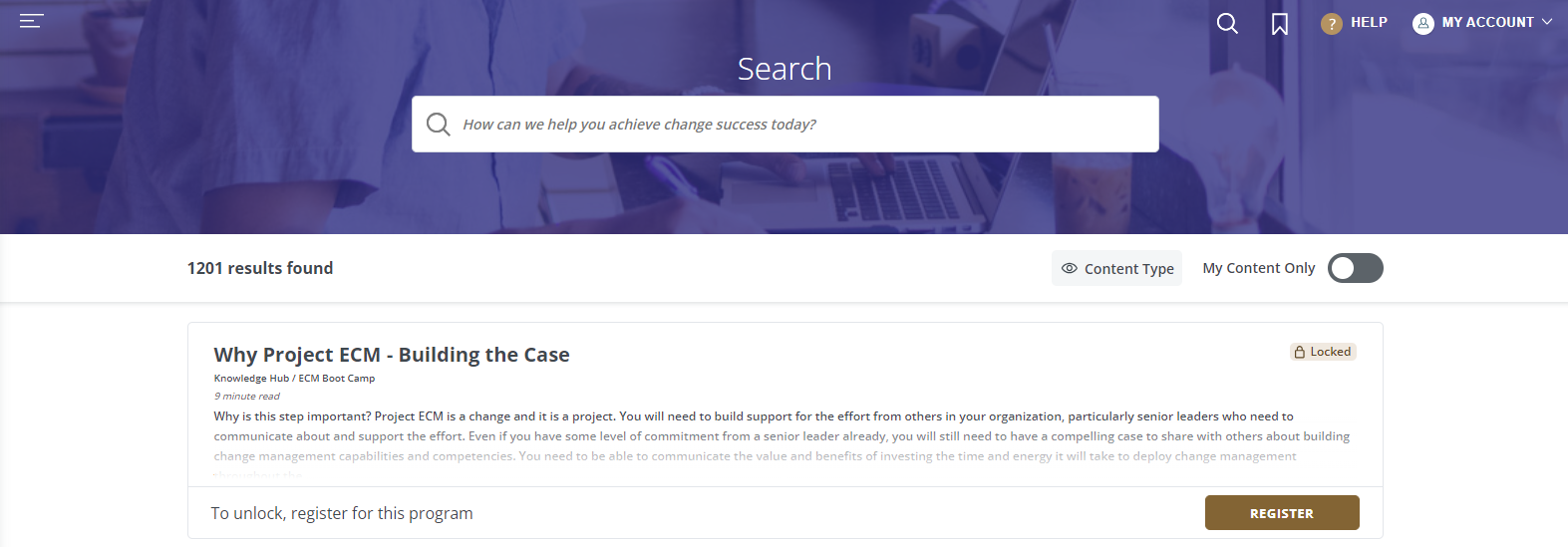
When the toggle is turned off, users may see search results for content that they do not have access to. You will not be able to access that content, but if applicable, a registration button will appear letting you know how to gain access to it.
- Please Note: The [My Content Only] button is only accessible to users who have gone through an open enrollment program. It will not be visible for License Users or users added as part of an Enterprise Program.