![Prosci-logo-notagline-RGB-white.png]](https://www.prosci.com/hs-fs/hubfs/Prosci-logo-notagline-RGB-white.png?height=40&name=Prosci-logo-notagline-RGB-white.png)
If you are having trouble receiving e-mails from the Portal, be sure to add [email protected] to the Safe Senders List in your inbox. If using Outlook, you can click here to review how.
Logging in for the First Time
How to Reset Password
How to Update E-mail
Creating New Profile
I just received access to the Prosci Portal. How do I access the Prosci Portal?
- Once a profile has been setup for you, an email will be sent from [email protected] and will be titled Prosci Portal - Update Password.
- If you registered for a program, the e-mail will be sent to the e-mail included on the registration form.
- In that email, there will be a link and/or button that you can click to Set My Password. Click that link and follow instructions for setting your password.
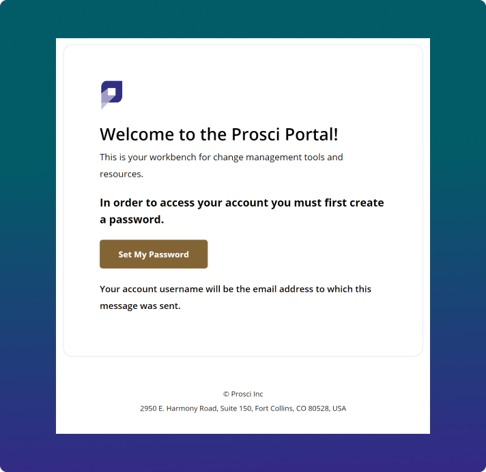
- After setting a password, you will be directed to login and access Your Prosci Portal.
- After successfully logging in, you will land on your Complete Profile page.
After setting up your password for the first time, all subsequent Logins can be accessed at portal.prosci.com
I registered someone else (or many other people) for a Training Program. How do they access the Prosci Portal?
As part of the Registration Form at checkout, the emails you included in there Registration Form will receive the invite emails to the Prosci PortalHow do I reset my password?
If you are unable to login because you forgot your password
Also follow these instructions if you had received a link to join the Prosci Portal, but the link had expired or you can no longer find that email. However, you must use the same email address that was used to register.
- Go to portal.prosci.com and you will be routed to the login screen. Enter your email and click Continue
- On the next screen click Forgot Password? Make sure the email entered is correct, and then click Continue. You will see a success message that a Reset Password Email has been sent.
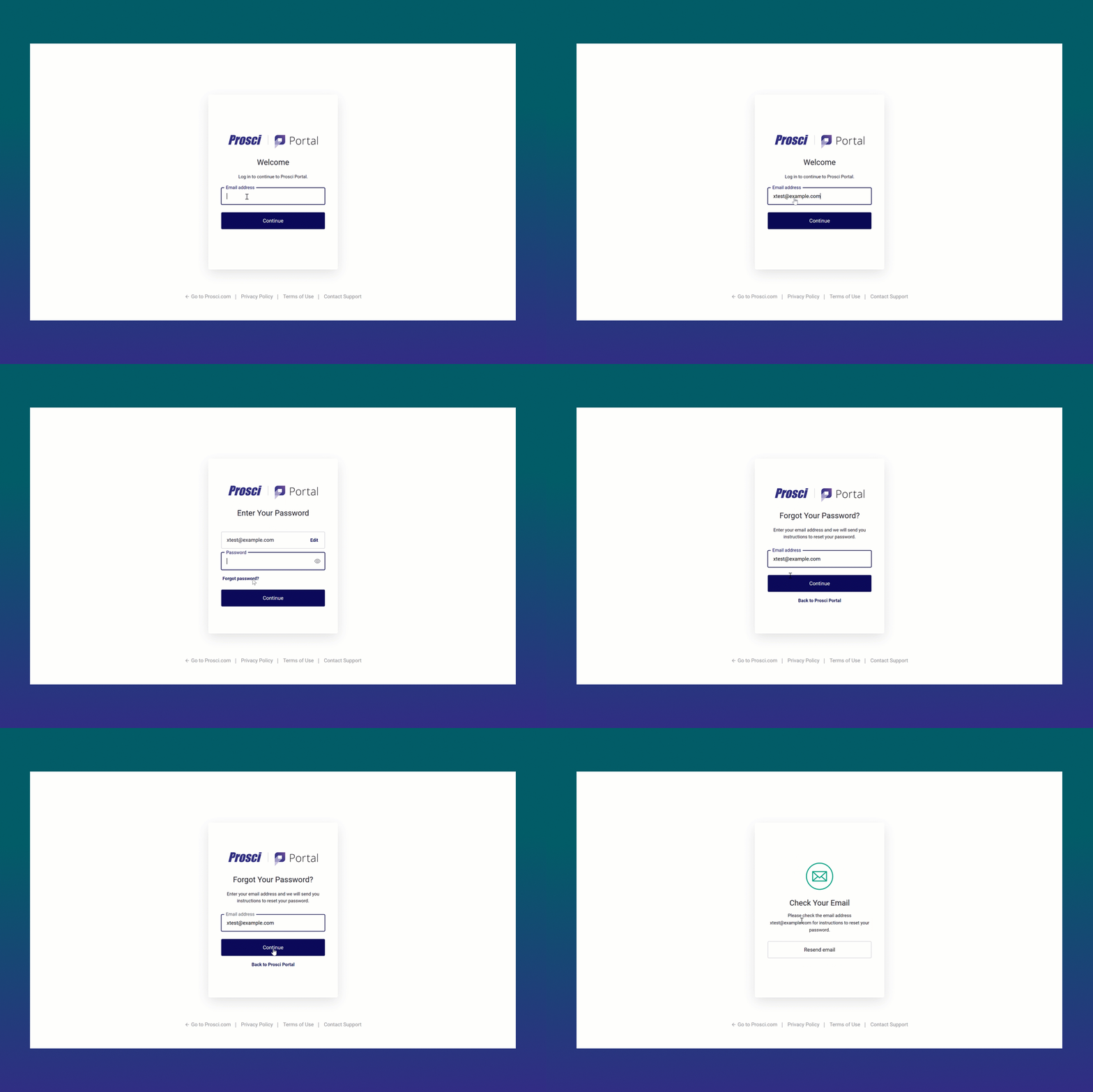
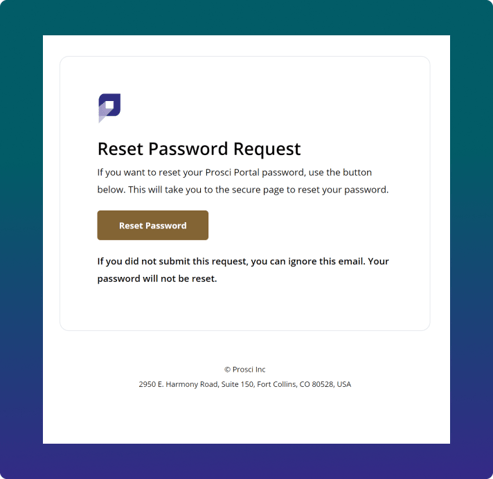
- You will receive an email from [email protected] titled Prosci Portal - Update Password. In that email there is a link to Reset Password. Click that link and follow password reset instructions. The reset password link expires within 2 hours.
If you are able to login, and want to change your password
- Go to My Account > Change Password. Click the Send Reset Password Email button.
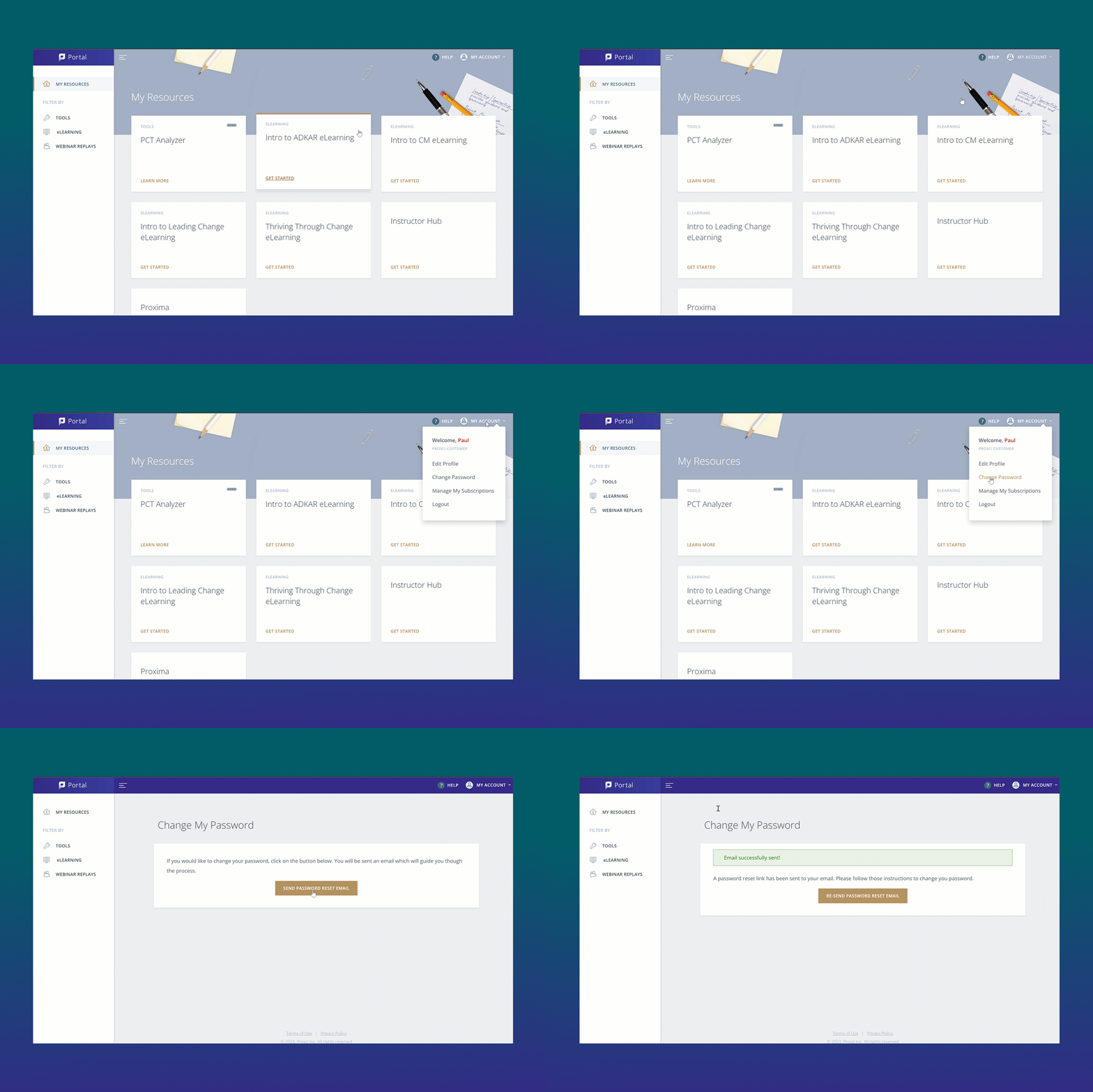
- You will receive an email from [email protected] titled Prosci Portal - Update Password. In that email there is a link to Set My Password. Click that link and follow password reset instructions.
How do I change the email on my account?
- Go to My Account > Edit Profile. Scroll down to Email and click Change
- Enter a New email and the Existing password, and click Submit
- An email titled Complete your Prosci Portal Email Change will be sent to the new email with a link to Verify Email.
- At this time, your email has not been changed. Until you verify the new email address, your old email will still be active on your account
- This verification link expires in 1 hour
- We will also receive a notification to your old email address title Prosci Portal Email Change Requested to make you aware of the change
- Open the email and click Verify My Email. This link will open up in your browser.
- If you were not logged in, you may need to Login with your old email first to complete the verification process
- A notification that Your email has been changed will be sent to both the new and old email addresses
You will not be able to change the email on your account if you were added as part of a Licensed Organization. Please contact your License Administrator or [email protected] if you need further assistance.
How do I create a new Prosci Portal Account?
All new Prosci Portal accounts are created by either registering for a new training program, purchasing a digital subscription from store.prosci.com, or being added to your License account.
As of January 27, 2023, you are no longer able to sign up directly for a Prosci Portal account at https://store.prosci.com/customer/account/create. We share valuable free content on our blog and through webinars, so feel free to subscribe here.