![Prosci-logo-notagline-RGB-white.png]](https://www.prosci.com/hs-fs/hubfs/Prosci-logo-notagline-RGB-white.png?height=40&name=Prosci-logo-notagline-RGB-white.png)
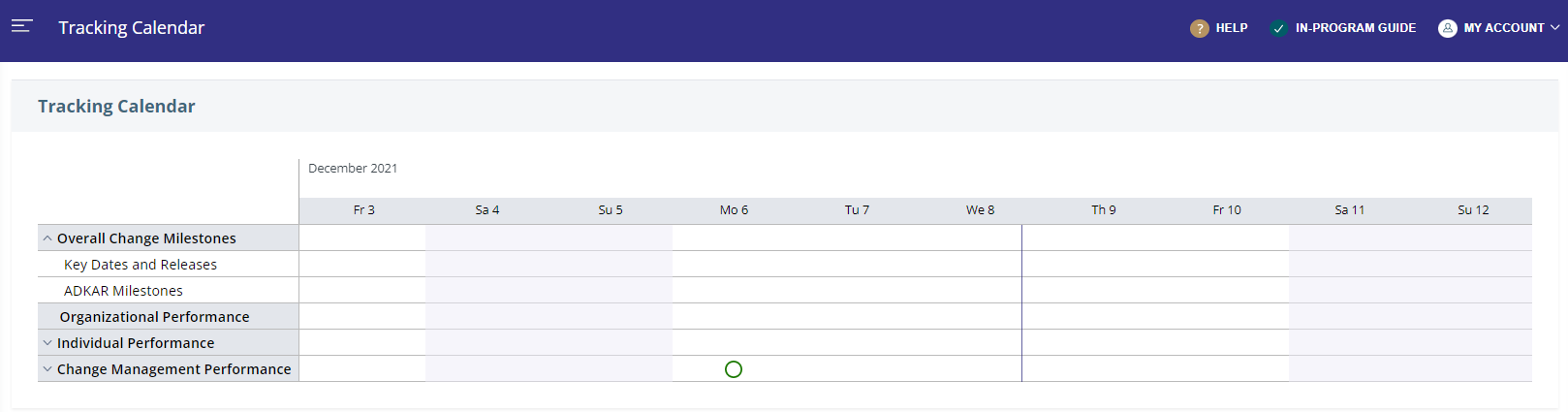
The Tracking Calendar in Proxima provides a static view of key dates and milestones.
What can I view on my Tracking Calendar?
Information displayed on the Tracking Calendar is pulled from a number of different sections of Proxima:
- Key project dates and ADKAR milestone dates from the Roadmap are displayed under the Overall Change Milestones section of the Tracking Calendar.
- Completed and scheduled PCT Assessments are displayed under the Organizational Performance section of the Tracking Calendar.
- Completed and scheduled ADKAR Assessments are displayed by Impacted Groups under the Individual Performance section of the Tracking Calendar.
- Completed and scheduled Progress Reports are displayed by ADKAR Blueprints and Change Management Plans under the Change Management Performance section of the Tracking Calendar.
I don't see the activities from my ADKAR Blueprint(s) or Plans in the Tracking Calendar, why not?
At this time, only dates are displayed on the Tracking Calendar. Activities created in the Blueprints and Plans will not show displayed on the Tracking Calendar.
How can I change the calendar view?
When you open the [Tracking Calendar] page, the default view is set to display the current week.
- You can adjust the view by clicking on the preferred day, month, or year.
- Additionally, expand the topics [Overall Change Milestones; Organizational Performance; Individual Performance; Change Management Performance] to adjust what information is shown/viewed.
- Click on [Tracking Calendar] in the side-navigation to reset the default view to current week.
Can I edit information or schedule assessments directly from the Tracking Calendar?
At this time no. The Tracking Calendar is a static 'view only' page.