![Prosci-logo-notagline-RGB-white.png]](https://www.prosci.com/hs-fs/hubfs/Prosci-logo-notagline-RGB-white.png?height=40&name=Prosci-logo-notagline-RGB-white.png)
We are proud to be launching our biggest update to Proxima since it's initial release in April 2021. These updates are entirely focused on allowing change practitioners to efficiently increase their likelihood of change success, and get the most out of the power of Proxima. All of these changes are informed by our community of customers, and we will continue to listen to you all as Proxima evolves. We will be having a live launch webinar on October 28th to go over and demo all of these changes - more details on that coming soon.
With this release, some of your data may be impacted. If you had used Parent Impacted Groups, Gauge Gap, or Schedule Dates in the past, your data may look different after this release. Click here for details on those updates and to connect with support if needed.
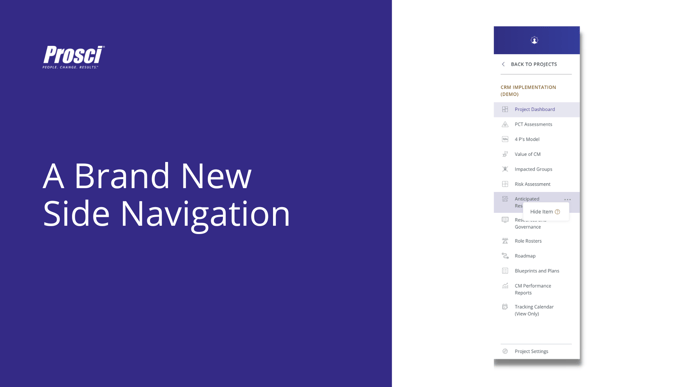
A New Side Navigation that allows for more speed and configuration
- See all your assessments and tools laid out directly in the navigation. No more nesting at multiple levels. Everything is in one spot for you to access.
- We "flattened" pages that had overlapping functionality. Defining Impacted Groups is now simpler. ADKAR Blueprints and CM Plans are all in one view. Your PCT Assessments have a single home.
- You can now “Hide” assessments or tools in your navigation that you don’t plan on using for a given change. It allows your team to focus on the most important things and right size their efforts.
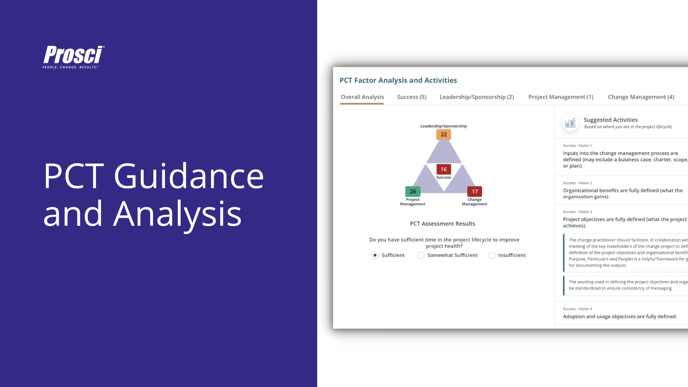
PCT Guidance and Analysis to help you figure out exactly where to focus next
- What? So what? And finally….now what? With the introduction of the new PCT Assessment Analysis tab, we help you figure out where to spend your time next, given your current PCT Assessment results.
- This guidance was developed from research and practitioner experience, in order to provide you with actionable next steps after completing a PCT Assessment.
- We include deeper content on the ten factors for each aspect of the PCT Model, which includes Factor Explanations that provide additional context for each factor, and Factor Analysis that provides more information on the consequences of a low score, activities to strengthen, and related research and resources to further develop your ability to effectively use the PCT Model on change projects.
- Please Note: The PCT Factor Explanations and Analysis will launch in English Only. We will roll out additional languages as they become available.
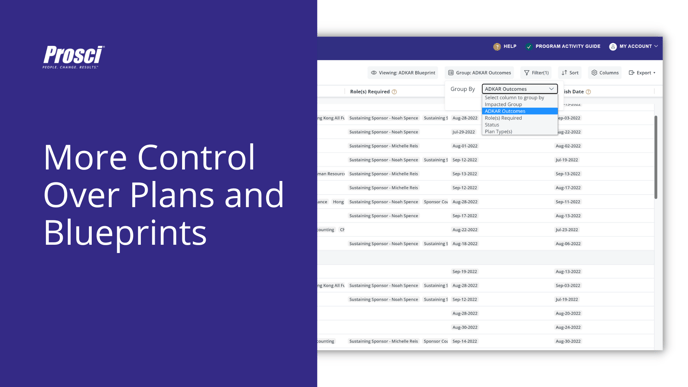
ADKAR Blueprints and Change Management Plans now in one dynamic view with more control and configuration
- We used to have 5 different pages that housed your Change Management activities across ADKAR Blueprints and CM Plans. Now we will have one single page which will reduce confusion when trying to share data across the previous 5 pages.
- We added more controls like Grouping, Sorting and Filtering to the view so you can organize your plans in ways that are most useful to you.
- Any view that you create you will be able to Save for use later. You will also be able to export any of those views to a PDF. We have included the ADKAR Blueprint and Core Plans as default viewing options.
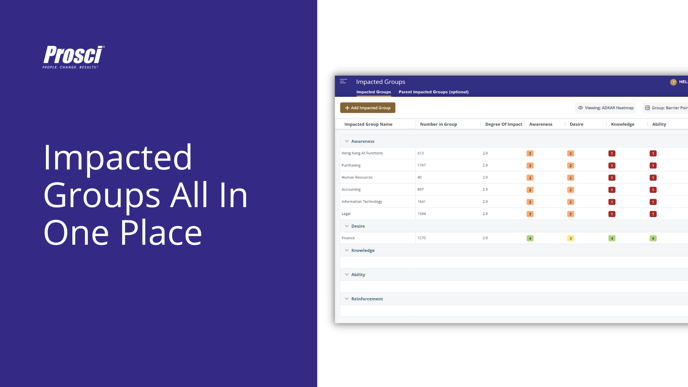
Define Impacted Groups up to 3x faster
- We used to have three different pages for Defining Impacted Groups. Now we will have one single page.
- We added more controls like Grouping, Sorting and Filtering to the view so you can organize your Impacted Groups in ways that are most useful to you.
- Any view that you create you will be able to Save for use later. You will also be able to export any of those views to a PDF.
- We removed the Parent Impacted Groups feature in favor of a simplified "Tagging" feature. See here for more information if you have previously used Parent Impacted Groups and have any concerns about your data.
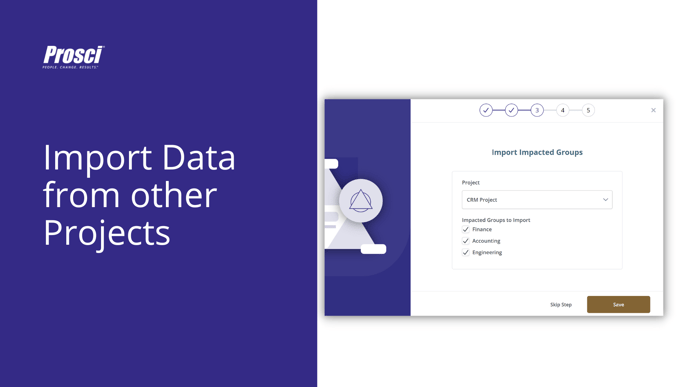
New Project Creation flow allows you to import Impacted Groups and Roles from other projects so you can get started faster with more consistency
- The new Project Creation flow helps you get started on your change in Proxima faster.
- You can now Import Roles and Impacted Groups from other projects in Proxima so you don't have to re-enter the data each team.
- This also allows your team to have standardized Role and Impacted Group naming conventions across projects.
- Upon project creation, we also allow you to enter your expected Project Kickoff, Go Live and Outcomes date and help you schedule PCT Assessments aligned with those dates to elevate best practices for driving change success.
A simpler In-Program Activity Guide harmonizes Proxima with the Program workbook
- If you are using Proxima as part of a Practitioner Certification Program, our Program Activity Guide updates simplify the experience for participants.
- The content of the Guide is now completely harmonized with the activities in the workbook.
- We also include a Helpful Links section that calls out the most requested links related to the In Program experience.